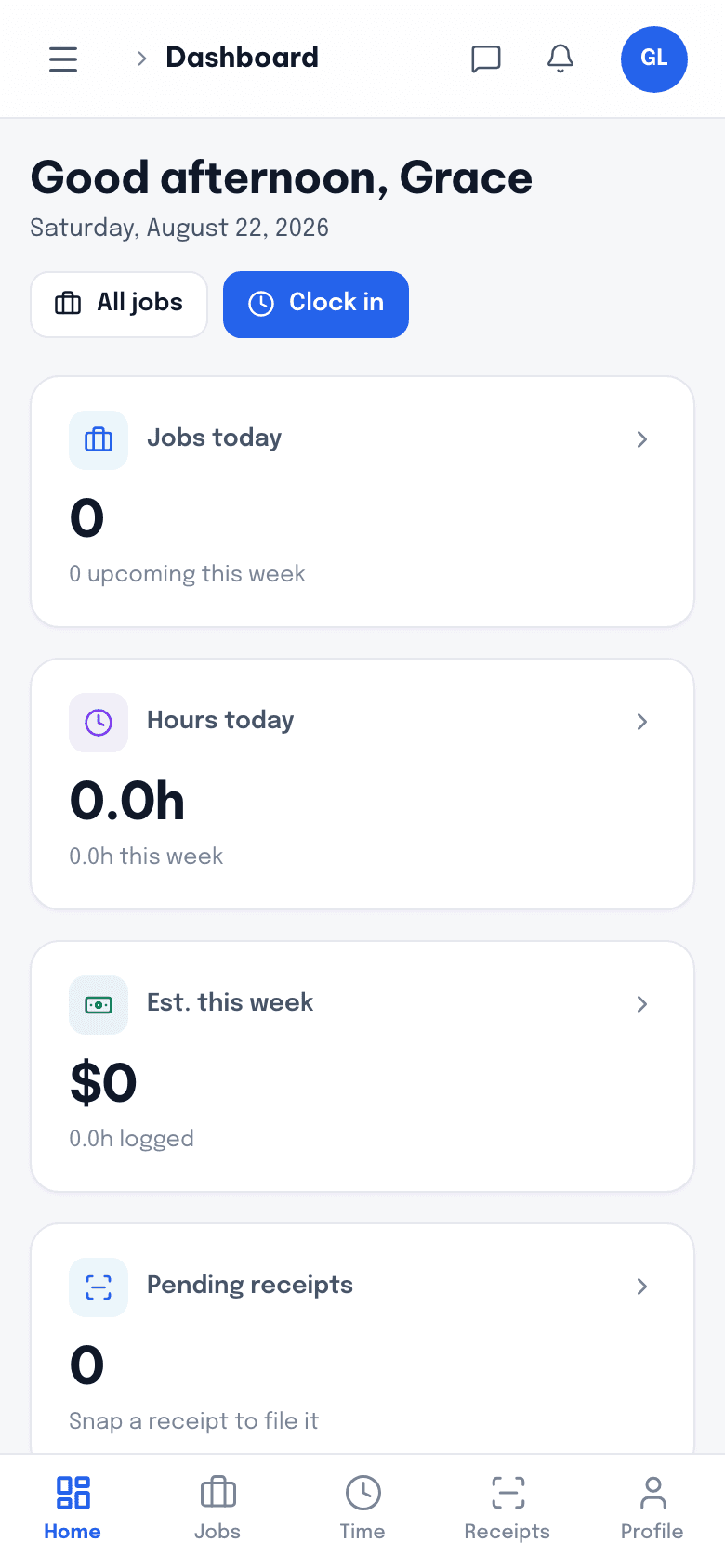
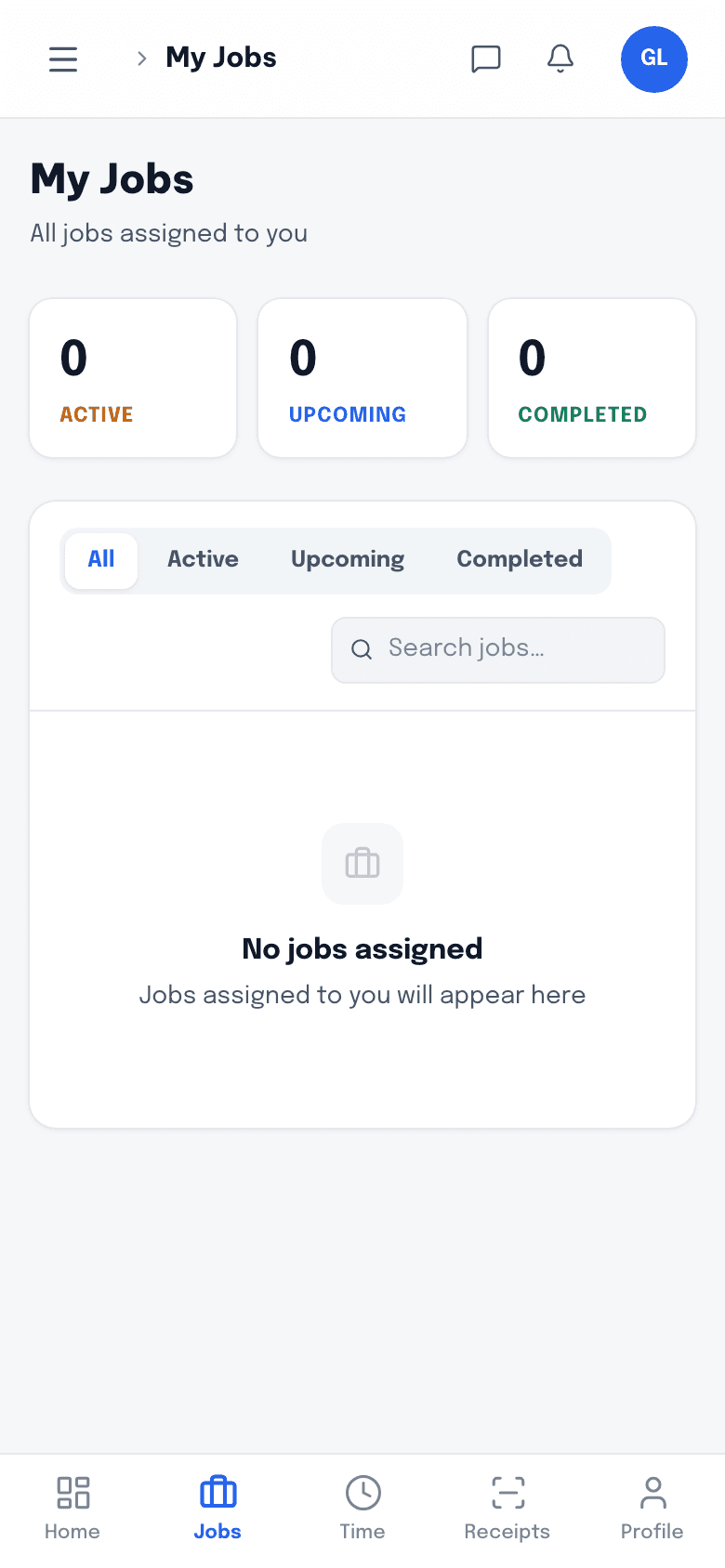
The crew app
Today's jobs, the address, the scope and the client's number. Clock in, add photos, snap the receipt, mark it done.
- Clock in and out against the job
- Photos and notes from site
- Receipt capture at the counter
Features
Scheduling, quotes, invoices, payments, timesheets and receipts on one record per job — so the office stops re-typing and the crew stops texting.

1 record
Quote, job, invoice and hours on the same job
2 apps
One for the van, one for the client
4 integrations
Stripe, QuickBooks, Google Calendar and Drive
0 setup fees
No contract, no onboarding invoice
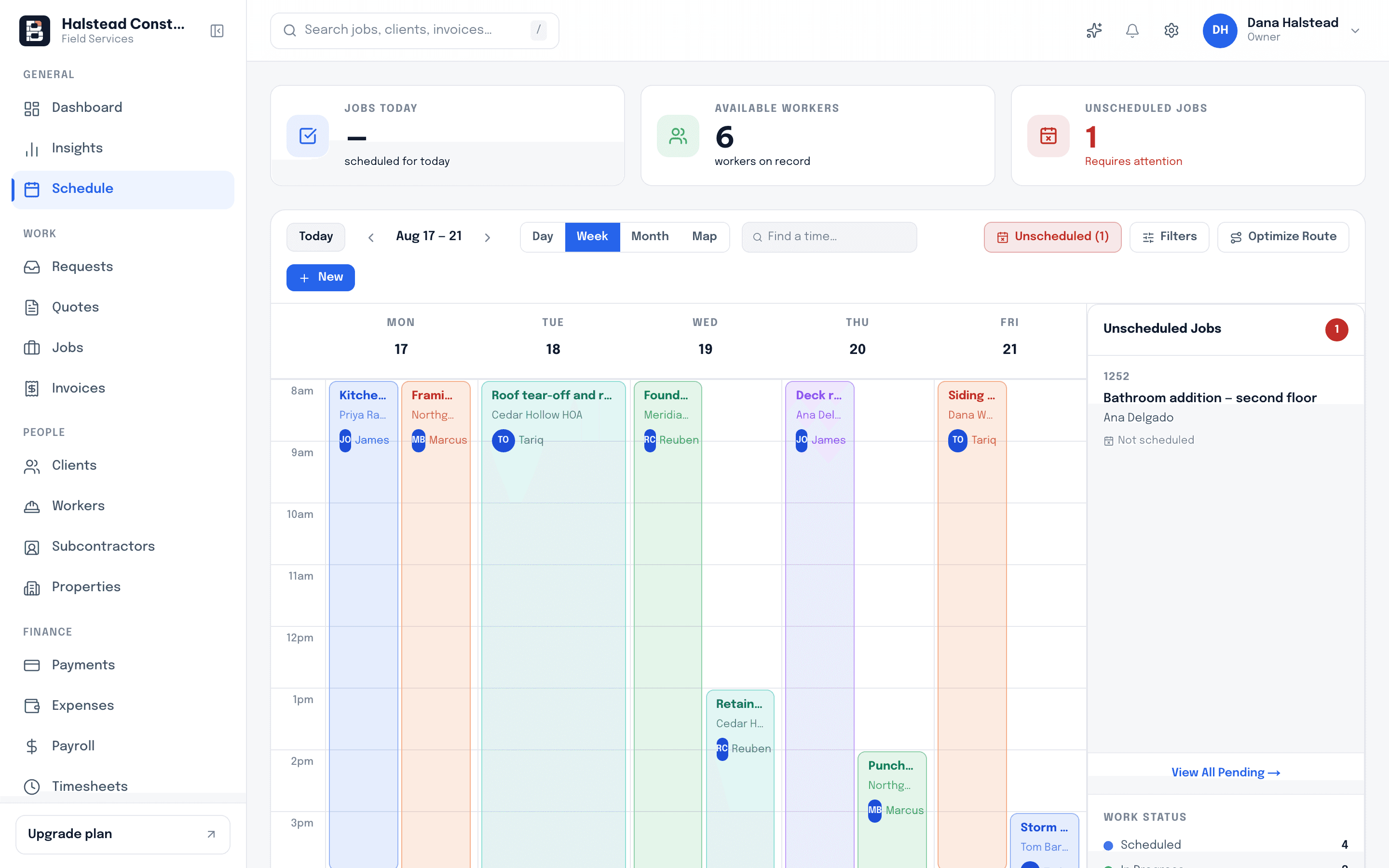
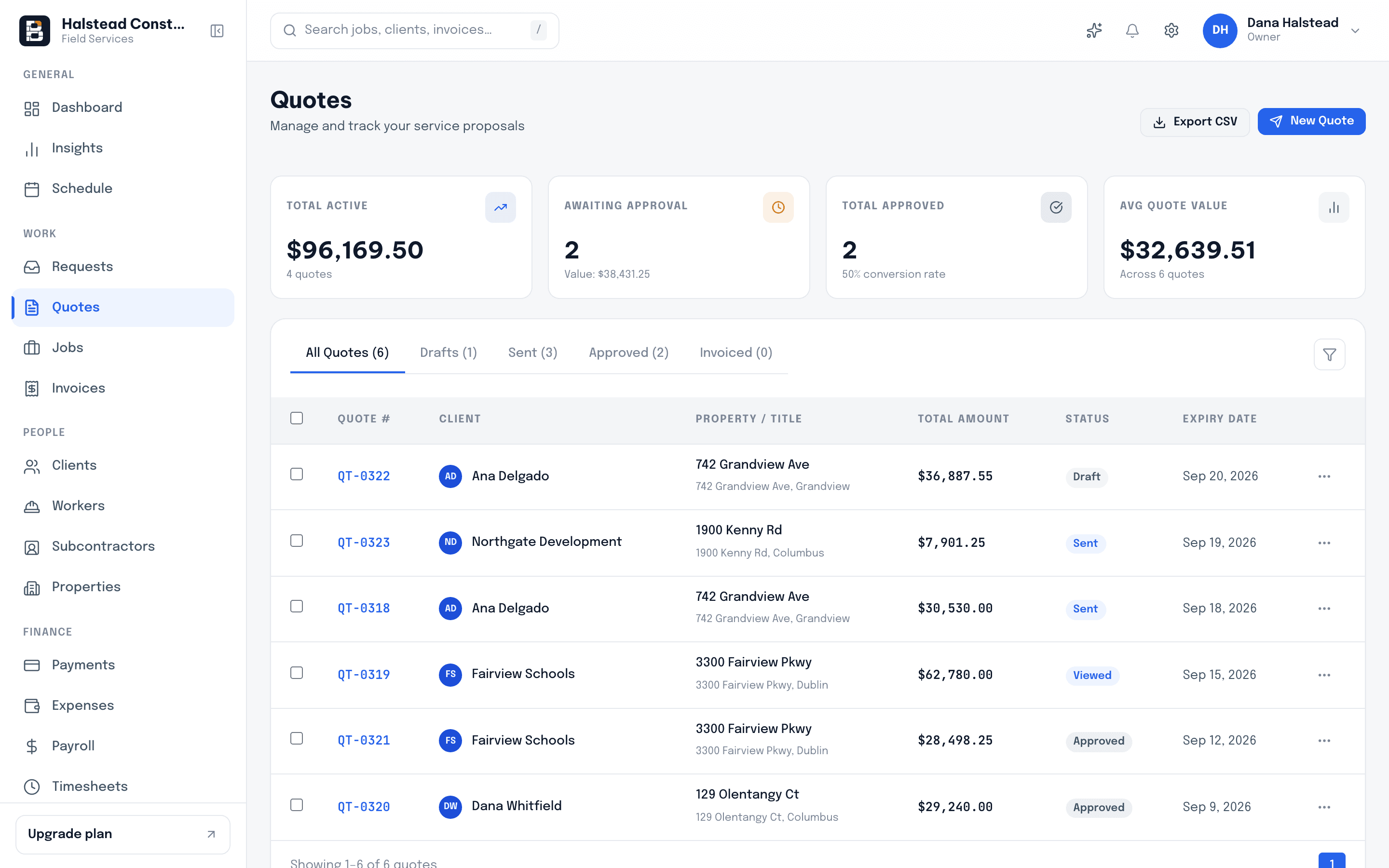
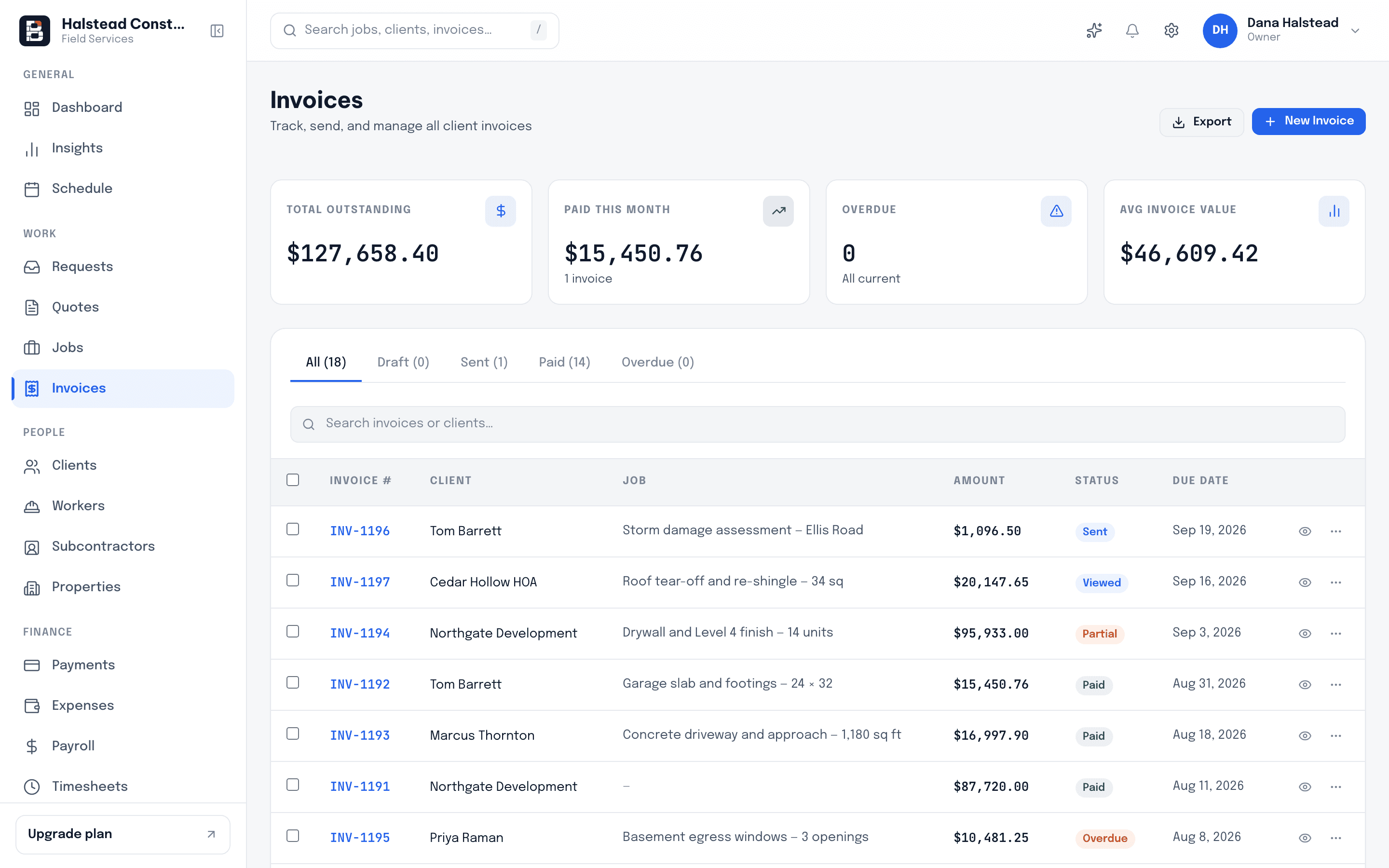
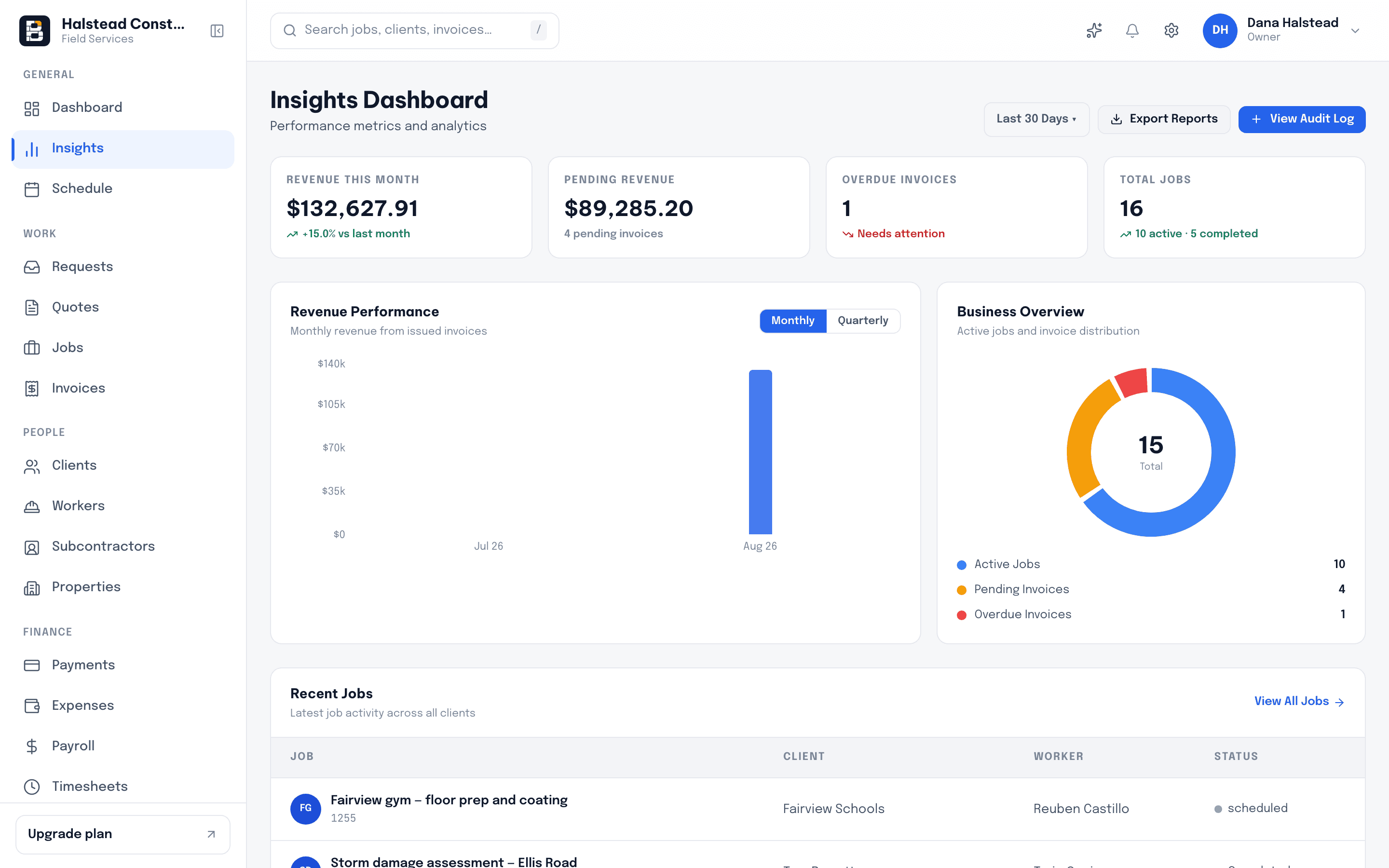
These are real screenshots of Bricklark, not an illustration of it.
Every job and visit on one calendar, with the crew assigned to each. Move a job and the client and the assigned worker both find out.
Build it in line items, send it as a link. The client taps approve and the job exists — no printing, no scanning, no second phone call.
The invoice the client reads is the page they pay on. Card and ACH run through your own Stripe account, and overdue balances chase themselves.
Revenue, outstanding balances and job throughput come out of the same records the crew is already filling in, so the report is never a separate chore.
The two people who decide whether your system works are never sitting at your desk.
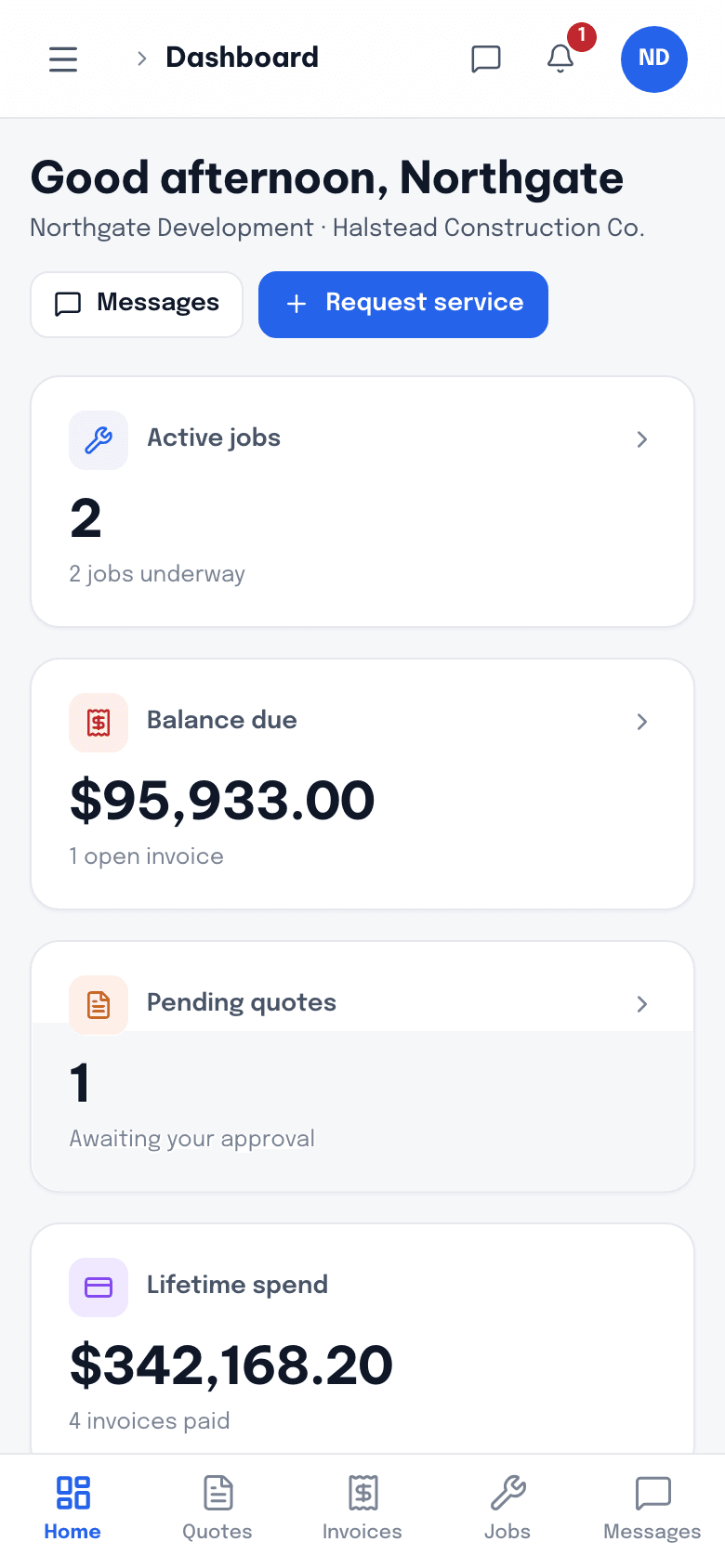
Today's jobs, the address, the scope and the client's number. Clock in, add photos, snap the receipt, mark it done.
Their quote, their job and their invoice at one link — and a pay button that works on the phone they opened it on.
Eight areas, each doing the boring part properly.
A week view the office can actually run the day from — jobs, visits and crew assignments in one place.
Line-item estimates on your letterhead, sent as a link the client can approve from a phone.
Invoice the moment the job closes, and take the money on the same page the client reads it.
Who is working, on what, and for how long — without a group text thread as the system of record.
Photograph the receipt at the merchant counter and let it land against the right job.
Revenue, outstanding balances and job throughput, drawn from the same records the crew is filling in.
Two apps you never have to train anyone on: one for the van, one for the customer.
One account per person, one record of what each of them did.
Four connections, each doing one specific job. Nothing here is a logo wall.
Card and ACH payments, collected straight off the invoice
Invoices and payments sync through to your books
Scheduled jobs land in the calendar the office already watches
Job photos and signed documents filed to your Drive
Every design decision assumes cold hands, a cracked screen and one bar of signal.
Most contractors are not switching from a competitor. They are switching from a spreadsheet, a shared calendar and a group text.
| With Bricklark | Spreadsheets & group texts | |
|---|---|---|
| Quote approval | Client taps approve in their portal; the job is created for you | PDF by email, then a phone call to chase it |
| Getting paid | Card or ACH on the invoice, with automatic reminders | Cheque in the post and a note on the whiteboard |
| Crew hours | Clocked against the job from the phone, ready for payroll | Texted at the end of the week, retyped on Monday |
| Receipts | Photographed on site and attached to the job | Shoebox in the truck until the accountant asks |
| The schedule | One calendar the office, the crew and Google all read | A shared sheet nobody trusts by Wednesday |
| Job margin | Quoted, invoiced and spent, on the same record | Guessed, then reconciled months later |
| Who changed what | Audit log with the person and the timestamp | A disagreement |